Pons Launchpad Guide: How to Create and Launch a Token on Robinhood Chain
 Written by F, Fairy.fLast updated: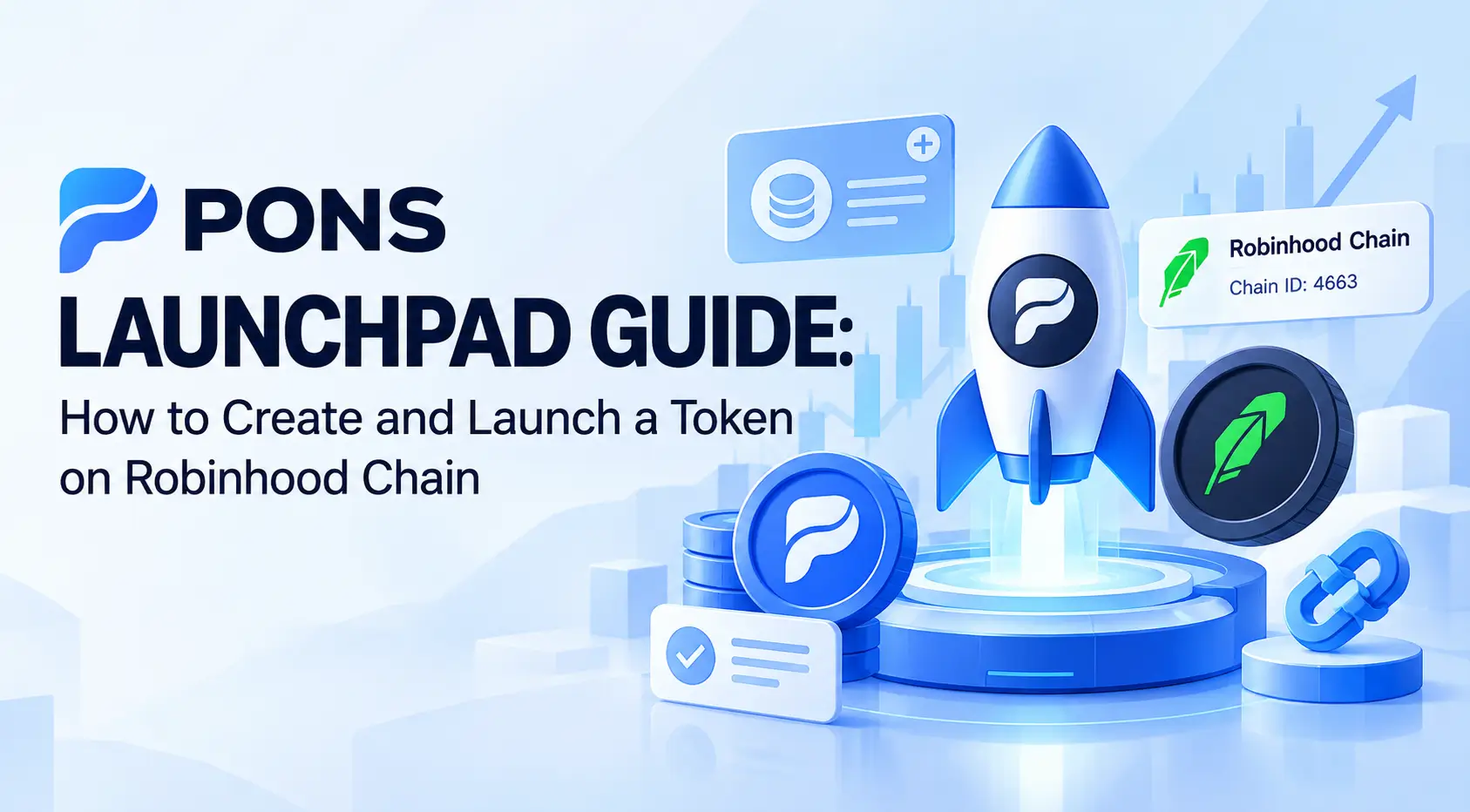
Launching a crypto token used to mean dealing with smart contracts, liquidity pools and a lot of technical setup. Pons takes a different approach.
Built on Robinhood Chain, Pons lets users launch and trade tokens through a non-custodial, wallet-based system without writing a token contract from scratch.
But there is an important distinction: launching is easy. Getting a token to survive is much harder.
This guide explains how Pons Launchpad works, how to launch a token, what V1 and V2 change, how liquidity and graduation work, and what to check before buying a newly launched token. It also covers the difference between Pons and Robinhood, the main risks, and how to trade the PONS token itself.
Key Takeaways
- Pons Launchpad is a non-custodial token launch and trading platform built on Robinhood Chain.
- Pons uses Robinhood Chain (Chain ID 4663), with ETH as the network’s native asset.
- You can launch a token without writing a smart contract from scratch, but you still need to understand the launch settings, fees and liquidity risks.
- Pons V2 uses a bonding curve before graduation, then moves the token into a Uniswap v4 pool with permanently locked liquidity.
- Pons currently lists a 0.0005 ETH launch fee, while gas, trading and creator-related fees may also apply.
- A liquidity lock does not mean a token is safe. Check the contract address, creator wallet, liquidity, volume, holder distribution and fees before buying.
- PONS is different from tokens launched through Pons. Traders looking for exposure to the PONS token can access PONSUSDT perpetual futures on BTCC with up to 50x leverage.
What Is Pons Launchpad?
Pons is a token launch and trading platform built on Robinhood Chain.
It lets creators deploy fixed-supply tokens and lets users trade those tokens directly from a compatible wallet.
Pons does not take custody of user funds: each launch and trade is approved and signed by the user’s own wallet.
The network runs on Robinhood Chain (Chain ID 4663), where ETH is the native asset. The Pons interface also lets users browse newly launched tokens and check their on-chain details before trading.

Pons vs. Robinhood
- Pons: A non-custodial token launch and trading protocol on Robinhood Chain.
- Robinhood: A separate financial platform offering stocks, ETFs and supported crypto services across multiple markets.
- Robinhood Chain: The blockchain network on which Pons launches and trades tokens.
Pons also warns users that token names and symbols can be copied. Checking the contract address, rather than relying on a token’s name or ticker, is therefore an important part of using the platform safely.
Learn more: What Is PONS Crypto? A Guide to Pons Launchpad, $PONS Price & the Buyback Story
How Does Pons Launchpad Work?
At a high level, a Pons launch moves through a small number of stages.
The exact mechanics depend on the version of the launch system being used, which is important because Pons has published separate V1 and V2 architectures.
| Stage | What happens |
|---|---|
| Create | The creator deploys a fixed-supply token and sets its launch parameters. |
| Trade | Users buy and sell the token through the launch’s trading mechanism. |
| Graduate | Once the required condition is reached, the launch moves into its post-launch liquidity stage. |
| Post-graduation | Trading continues through the resulting decentralized exchange pool. |
V1 vs. V2: What Changed?
The biggest difference is where price discovery happens before graduation.
In the Pons architecture described in the main documentation, a new token launches with a fixed supply and its WETH trading pool is created in the same transaction. Trading then takes place in that pool, while liquidity is locked automatically. The current documentation lists a fixed supply of 1 billion tokens, a 1% pool fee, and a 0.0005 ETH launch fee.
Pons V2 takes a different approach. A token starts on a bonding curve, where users buy and sell before graduation. When the curve is bought out, the launch graduates into a Uniswap v4 pool, with the liquidity position permanently locked.
Pons describes this as one of the main changes from V1: the pool is created only at graduation rather than being the starting point of the launch.
| Pons V1 / current main architecture | Pons V2 | |
|---|---|---|
| Starting mechanism | Trading pool | Bonding curve |
| Price discovery | Uniswap pool | Bonding curve |
| Graduation | Reaches the required liquidity condition | Curve is bought out |
| Post-graduation | Trading continues in the pool | Moves into a Uniswap v4 pool |
| Liquidity | Locked automatically | Permanently locked after graduation |
This distinction matters if you are following a Pons Launchpad guide or checking older tutorials. A step-by-step guide written for V1 may not match the fields or trading mechanism shown by a V2 launch.
How to Launch a Token on Pons
Launching a token on Pons does not require you to build a token contract from scratch.
The platform handles the deployment infrastructure, while the creator supplies the token information and launch parameters.
The exact options can vary by launch version, so check the live Pons interface before signing a transaction.

Step 1: Set Up a Compatible Wallet
You need an EVM-compatible wallet that can connect to Robinhood Chain.
Robinhood Chain uses:
- Chain ID: 4663
- Native asset: ETH
- Network: Robinhood Chain
You will also need enough ETH to cover the launch fee and network costs.
Pons’ V2 documentation describes every launch action as a transaction signed directly by the creator’s own wallet.
Pons does not hold the creator’s tokens or funds on their behalf.
Step 2: Prepare Your Token Details
Before opening the launch screen, have the basic project information ready:
- Token name
- Ticker or symbol
- Logo
- Description
- Website
- Social links
- Creator fee wallet, where applicable
Pons’ documentation shows that these details are stored as part of the token’s launch configuration.
In V2, the creator can also define additional launch parameters rather than simply choosing a name and clicking launch.
The ticker deserves a second look before you sign. Pons explicitly warns that names and symbols are not unique. Two unrelated tokens can use similar branding, so the contract address is the identifier that matters.
Step 3: Connect Your Wallet
Open Pons and connect the wallet you intend to use as the creator wallet.
Make sure the wallet is on Robinhood Chain and contains enough ETH for the transaction. Since Pons is non-custodial, the wallet remains in control of the transaction throughout the process.
Step 4: Choose the Launch Settings
This is the part worth slowing down for.
The important part isn’t clicking Launch. It’s understanding what you’re locking in when you do.
Depending on the launch version, the configuration can include parameters such as token supply, trading or curve fees, graduation conditions, pool settings, quote asset and creator-related fees.
Pons V2 documentation specifically identifies the launch configuration as determining items such as supply, curve fee, phantom quote, graduation threshold, pool fee and tick spacing.
V2 also allows an approved quote asset to be selected. ETH is the default reference point for many launches, but Pons states that a launch can use another approved asset as its pair. Once selected, that asset becomes the currency used throughout the launch.
If creator tax or buyback settings are available for the launch you are creating, check them before confirming. These are not cosmetic options; they can affect the cost of trading the token and how fees are distributed.
Step 5: Confirm the Transaction
Review the token details and launch parameters one more time, then approve the transaction in your wallet.
Pay particular attention to:
- Token name and symbol
- Token address, once available
- Quote asset
- Fee settings
- Creator wallet
- Graduation or liquidity settings
- The amount of ETH required
Once the transaction is signed, the launch is recorded on Robinhood Chain. Pons’ documentation notes that transactions are wallet-approved and that blockchain transactions may be irreversible.
What Happens After Launch?
The token becomes tradable according to the launch mechanism used by that version of Pons.
For the main architecture described in Pons’ current documentation, the token is launched with a fixed supply and a WETH pool, with trading taking place in that pool from launch.
For V2, the token first trades against its bonding curve.
Once the curve reaches its graduation condition, the launch transitions into a Uniswap v4 pool. The creator does not need to manually perform a separate liquidity migration at graduation.
That does not mean the token will attract buyers after launch. Pons provides the launch infrastructure; it does not create demand, community or sustainable liquidity for the project.
Trade PONS Without Launching a Token:
If you are interested in PONS price movements rather than launching or buying a newly created token, BTCC offers PONSUSDT perpetual futures with up to 50x leverage.
 Claim Up to 30,000 USDT in Welcome Rewards
How Much Does It Cost to Launch on Pons?
The technical cost of creating a token on Pons can be relatively small, but the total cost of running a token project is a different question.
Pons’ current documentation lists a 0.0005 ETH launch fee. You should also account for the blockchain transaction cost and any trading or creator-related fees that apply to the launch.

| Cost | What it covers |
|---|---|
| Launch fee | Creating the token through the Pons launch system |
| Gas | Processing the transaction on Robinhood Chain |
| Trading fees | Fees charged when the token is bought or sold |
| Creator-related fees | Optional or configuration-dependent fees paid to the creator |
For V2, the fee structure is more granular.
Pons documents a standard trading fee shared among the protocol, creator and, where enabled, buybacks. A creator tax can also be configured at launch and is capped by the protocol.
The exact rate should therefore be checked for the individual token rather than assumed from another Pons launch.
The important distinction is between launch cost and project cost.
Launching a token may only require a small amount of ETH. Building liquidity, attracting traders, distributing the token and maintaining interest can cost considerably more.
How Do Pons Liquidity and Graduation Work?
Liquidity is what allows traders to enter and exit a token without relying on a centralized order book.
On Pons, the way liquidity is created depends on the launch architecture.
In the main Pons documentation, a token launches with its trading pool already created. The pool uses WETH, has a fixed 1% pool fee, and its liquidity is locked automatically.
V2 works differently.
The token begins trading on a bonding curve. As users buy, the curve’s reserves increase and the price changes according to the curve’s mechanics. Once the graduation condition is reached, the curve closes and its collected assets are used to establish the Uniswap v4 pool. Pons says the resulting liquidity is permanently locked.
What Is a Pons Liquidity Lock?
A liquidity lock means the liquidity position is held in a way that prevents the creator from simply withdrawing the underlying liquidity whenever they want.
That is useful because one common risk in newly launched tokens is a creator removing the liquidity that traders depend on. A locked position reduces that particular risk.
But there is an important catch:
Liquidity locked does not mean the token is safe.
A locked pool cannot tell you whether the creator is trustworthy, whether the token contract contains problematic logic, whether the token has real demand, or whether the market is about to collapse.
Pons itself makes this distinction clear. Its documentation warns that launches can be volatile or illiquid and that graduation is not a signal of token quality.
Liquidity Lock Does Not Mean No Rug Risk
Before buying a newly launched token, a liquidity lock should be only one item on your checklist.
Also check:
- Contract address: Make sure you are looking at the intended token rather than a copy using the same name or ticker.
- Creator wallet: Look at the creator’s activity and token allocation.
- Liquidity: Check how much liquidity is actually available for trading.
- Trading volume: High volume for a short period can disappear quickly.
- Holder distribution: A few wallets controlling a large share of supply can create additional selling risk.
- Creator fees or taxes: Check the token’s actual fee configuration before trading.
- Contract and launch version: Know whether you are dealing with a V1/current launch or a V2 launch.
A Pons Launchpad rug check should therefore be broader than asking whether the liquidity is locked. The lock addresses one liquidity-withdrawal risk; it does not turn a speculative token into a vetted investment.
Pons also states that token prices can move quickly, liquidity can be thin, and smart contracts, wallets, RPCs and other infrastructure can fail.
How to Check a Pons Token Before Buying
A token being listed on Pons tells you how it was launched. It does not tell you whether it is worth buying.
Before trading a newly launched token, check the contract, creator wallet, liquidity, volume, holder distribution and trading fees. These details can reveal problems that a ticker or logo will not.
| Check | Why it matters |
|---|---|
| Contract address | Token names and symbols can be copied. The contract address is the identifier that matters. |
| Creator wallet | Shows how much of the supply the creator controls and what they have done on-chain. |
| Liquidity | Low liquidity can make even a small sell order move the price sharply. |
| Trading volume | Volume shows activity, but short-lived hype can create misleading numbers. |
| Holder distribution | A few large wallets can create significant selling pressure. |
| Creator tax and fees | These directly affect the cost of trading the token. |
1. Check the Contract Address
Start with the contract, not the name.
Pons explicitly warns that token names and symbols are not unique. Someone can create another token using the same ticker or a nearly identical name and image. If you are searching for a specific project, verify the contract address from the project’s official channel before connecting a wallet or placing a trade.
This is one of the simplest parts of a Pons token analysis, but also one of the easiest to skip when a token is moving quickly.
2. Check the Creator Wallet
Look at the wallet that created the token and its current holdings.
A creator holding a large share of the supply is not automatically a red flag. What matters is whether that concentration creates an obvious exit risk. Also check whether the wallet has launched other tokens, moved large amounts to exchanges or transferred tokens to a cluster of related addresses.
On a permissionless launchpad, the creator’s on-chain history can tell you more than a polished project description.
3. Check Liquidity
A token can show strong trading volume while still having relatively thin liquidity.
That matters because volume and liquidity are different things. Volume measures how much has traded. Liquidity determines how easily you can enter or exit without moving the market too far.
For a newly launched token, check the size of the pool and how much price impact a realistic trade would create. A large-looking market cap backed by a small pool can disappear quickly when sellers arrive.
4. Check Trading Volume
Volume is useful, but don’t read it in isolation.
A sudden spike in volume may reflect bots, short-term speculation or a handful of active wallets rather than a broad holder base. Look at how volume changes over time and whether the number of active traders is growing alongside it.
A token that launched an hour ago will naturally have a very different volume profile from one that has traded for several days.
5. Check Holder Distribution
Holder concentration is another useful warning signal.
If a small number of wallets control a large portion of the tradable supply, those wallets can have an outsized effect on price. It is worth checking whether large wallets are independent holders, creator-related addresses or wallets that received tokens through transfers.
There is no single percentage that makes a token “safe.” The point is to understand who could sell if the market turns.
6. Check Creator Tax and Trading Fees
Fees are easy to overlook when the market is moving quickly.
Pons V2 allows a creator tax to be set when the token is launched, within the protocol’s limits. The creator tax is fixed at creation rather than being increased later. The standard trading fee and any creator tax together determine what a trader actually pays.
Quick Pons Token Checklist
Contract → Creator → Liquidity → Volume → Holders → Fees
If you cannot explain what you are buying after checking those six items, the token probably deserves more research before you trade it.
Claim Up to 30,000 USDT in Welcome Rewards
Is Pons Launchpad Safe?
There are two different questions here: Is the Pons protocol designed with safeguards? And Is a token launched through Pons safe?
They do not have the same answer.
Pons uses a non-custodial model, so the platform does not take custody of your funds. Transactions are approved by your own wallet and recorded on-chain. Its launch architecture also uses locked liquidity, depending on the version of the launch mechanism.
But those features do not turn every token into a vetted project.
What Pons Helps Reduce
Pons provides infrastructure that can reduce certain launch-related risks:
- Non-custodial trading: Pons does not hold users’ funds.
- On-chain transactions: Launches and trades can be verified through blockchain data.
- Locked liquidity: The relevant launch mechanisms lock liquidity rather than leaving the creator with a simple withdrawal option.
- Standardized launch process: Token creation and trading follow predefined smart-contract rules.
- Launch protection: The current main architecture includes restrictions during the first blocks after launch to reduce some early sniping and concentration risks.
These are protocol-level protections. They are not project-level due diligence.
What Pons Does Not Protect You From
A launchpad cannot tell you whether the person behind a token is trustworthy.
You can still face:
- Fake or copied tokens
- Malicious or compromised wallets
- Extreme price volatility
- Low liquidity
- Whale concentration
- Price manipulation
- Smart-contract vulnerabilities
- Creator-related risks
- Loss of the token’s entire market value
Pons itself warns that names and symbols can be copied and that launches can be volatile, illiquid or lose all value. Its V2 documentation also states that reaching graduation is not a signal of token quality.
What About a Pons Launchpad Audit?
An important distinction for anyone searching for a Pons Launchpad audit or Pons Launchpad contract audit is that auditing the launchpad protocol is not the same as auditing every token created through it.
A protocol-level security review examines the code and mechanisms used by the launch system. It does not verify the legitimacy of an individual meme token, its creator, its community or its future market.
That is why a Pons Launchpad rug check should focus on the specific token you intend to trade: contract address, creator wallet, liquidity, holders, fees and trading activity.
A launchpad can standardize how a token launches. It cannot make the token itself legitimate.
Pons Launchpad vs. Other Token Launchpads
Pons is part of a broader wave of permissionless token launchpads, but the mechanics are not identical.
The most useful comparison is not simply the number of tokens launched. Look at where price discovery happens, how liquidity is handled and what happens when a launch reaches its next stage.
| Feature | Pons | Pump.fun | Pools.trade |
|---|---|---|---|
| Main network | Robinhood Chain | Solana | Robinhood Chain |
| Token creation | Yes | Yes | Yes |
| No-code style launch | Yes | Yes | Yes |
| Bonding curve | V2 | Yes | Depends on launch mode |
| Graduation | Yes, depending on architecture | Yes | Depends on launch mode |
| Post-launch liquidity | Pons pool / Uniswap v4 for V2 | PumpSwap | Uniswap v4 |
| Non-custodial model | Yes | Yes | Yes |
Pons’ current main architecture launches the token with its trading pool, while Pons V2 starts with a bonding curve and moves into a Uniswap v4 pool after graduation.
Pump.fun uses a bonding curve on Solana and automatically moves a graduated token into PumpSwap once its graduation threshold is reached.
Pools.trade is another Robinhood Chain option built around Uniswap v4 liquidity. Its launch formats include both a crowd-launch model and an instant-launch model, so its mechanics should not be treated as identical to Pons V2.
For creators, the choice comes down to the launch mechanism and fee/liquidity model they actually want. For traders, the more useful question is what happens to the token’s liquidity after launch and how much liquidity is available when they need to exit.
How to Trade PONS and Pons-Launchpad Tokens
PONS and tokens launched through Pons are not the same thing.
PONS is the token associated with the Pons ecosystem.
A Pons-launched token is an individual token created through the launchpad. It may have its own ticker, contract address, liquidity pool, creator and fee settings.
So if you search for a token on Pons, do not assume that buying a newly launched token gives you exposure to PONS.
Trading Pons-Launched Tokens
If you want to trade an individual token launched through Pons, check its contract address first and review its liquidity, holders, creator wallet and fees before placing a trade.
These tokens can be extremely volatile, particularly during the first few hours of trading. A low-liquidity market can also make the displayed price look more stable than the actual execution price for a larger order.
Trading the PONS Token
If your goal is to trade the PONS token itself rather than launch or buy one of the tokens created through Pons, derivatives offer another route.
BTCC now supports PONSUSDT perpetual futures, with leverage of up to 50x. This lets traders take positions on PONS price movements without directly holding the underlying token.
For users who prefer futures, the setup is straightforward:
- Open a BTCC account.
- Search for PONSUSDT in Futures.
- Choose your position size and leverage.
- Review margin, funding and liquidation information.
- Place a market or limit order.
New users may also be eligible for up to 30,000 USDT in welcome rewards:
Exclusive BTCC Welcome Offer
- 60 USDT registration reward: Earn 10 USDT for signing up, 20 USDT for rapid KYC, 5 USDT on your first spot trade, 5 USDT for copy trading, and 20 USDT on your first futures trade—all instantly credited upon completing simple milestones.
- Deposit bonuses: Deposit a minimum of 200 USDT and receive 10 USDT; reach 500 USDT+ for an extra 20 USDT. Accumulate 2,000 USDT within 30 days and gain an additional 30 USDT flexible trading bonus. Expert tip: keep at least 5% of your deposit in the futures account to activate the bonus.
- 30,000 USDT futures trading event: Active traders compete for up to 30,000 USDT in rewards over 90 days. Volume is calculated as principal × leverage—with 250x leverage, even modest capital can achieve high-tier rewards.
- 0‑fee trading: Enjoy zero trading fees on selected pairs. Check the latest fee schedule and zero‑fee campaigns here.
Is Pons Launchpad Worth Using?
Whether Pons Launchpad is worth using depends on what you want to do with it.
For Creators
Pons makes sense for creators who want to launch quickly without building the entire token infrastructure themselves.
Potential advantages:
- Low technical barrier
- Fast token deployment
- Built-in trading infrastructure
- On-chain launch and trading
- Access to the growing Robinhood Chain ecosystem
The trade-off is competition. A low barrier to entry means many other creators can launch just as easily. Getting a token deployed is not the difficult part anymore; getting traders to notice it, hold it and keep trading it is.
A launch also does not guarantee liquidity or sustained demand. A token can technically complete the launch process and still see very little activity afterward.
For Traders
For traders, the attraction is early access to new tokens and transparent on-chain data.
You can inspect the contract, creator wallet, liquidity and holder distribution rather than relying entirely on a centralized exchange’s listing page.
The risk is the other side of that openness.
Many newly launched tokens will have short trading lives. Some will have very thin liquidity, concentrated holders or copied branding. Others may simply lose attention after the first burst of speculation.
| For creators | For traders |
|---|---|
| Fast, low-friction launch | Early token discovery |
| No need to build a launch contract from scratch | On-chain transaction visibility |
| Built-in trading infrastructure | Access to newly launched markets |
| Robinhood Chain ecosystem exposure | Ability to assess wallets and liquidity on-chain |
| High competition | Extreme volatility |
| No guarantee of sustained liquidity | Failed launches and thin markets |
| Attention is difficult to maintain | Copycat tokens and contract risk |
Pons is therefore better viewed as launch infrastructure and a market for early-stage tokens, not as a quality filter.
For a creator, the question is whether the platform can help turn an idea into an active market. For a trader, the question is whether the token’s on-chain data justifies taking the risk.
Claim Up to 30,000 USDT in Welcome Rewards