How to Trade and Deposit Cardano (ADA) on BTCC?

In this article, we will show you how to trade and deposit Cardano (ADA) on BTCC. It’s straightforward and doesn’t require advanced knowledge to complete the whole process. Let’s start it.
How to make a deposit in ADA?
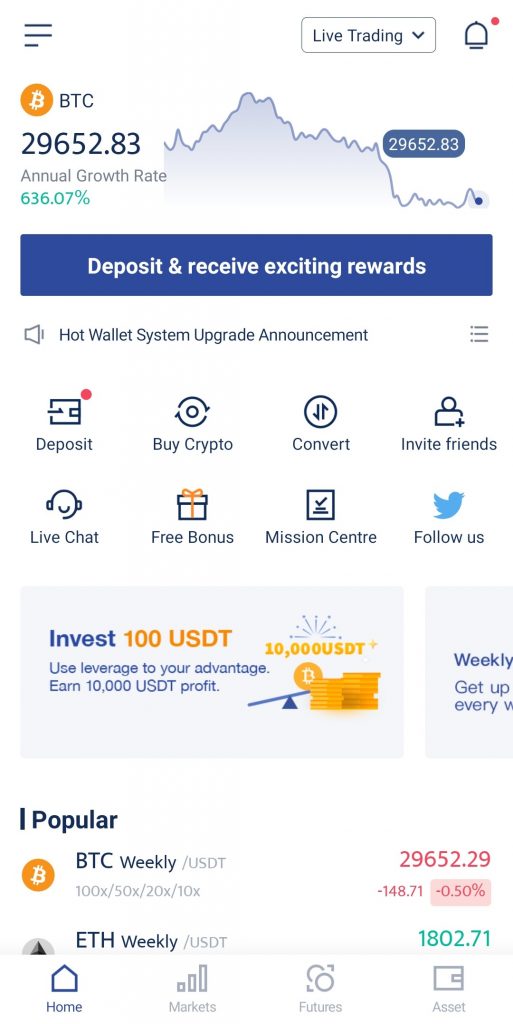
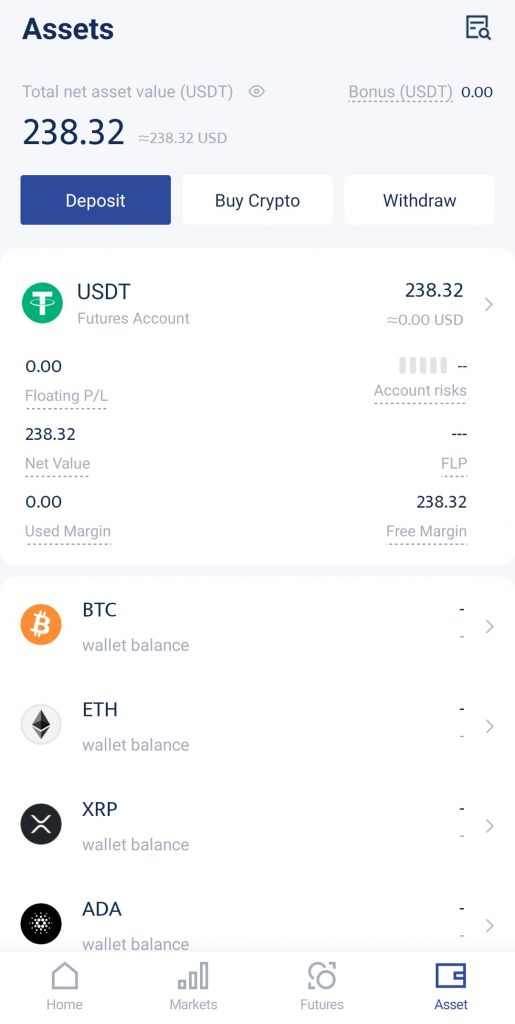
1. Go to Home or Assets. Tap Deposit.
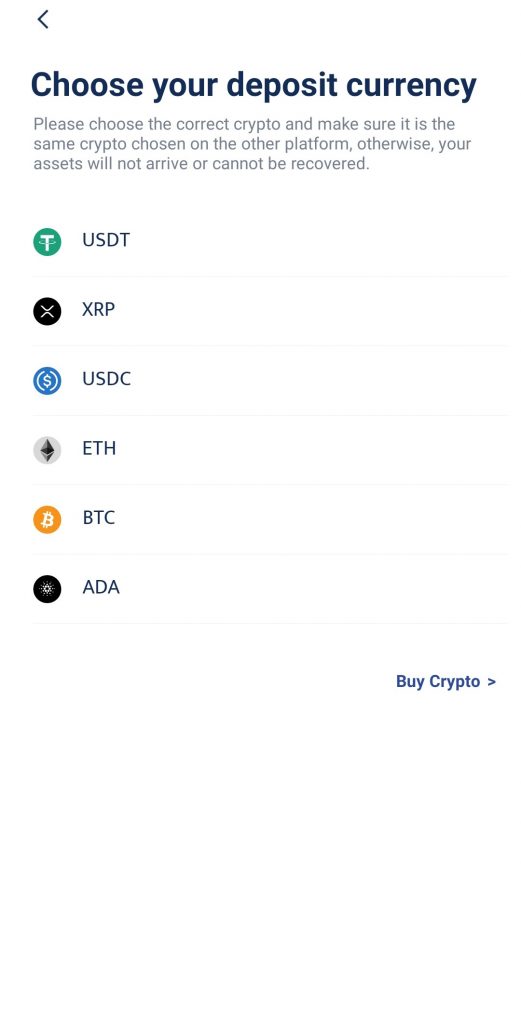
2. You will see a list of deposit currencies available. Choose ADA.
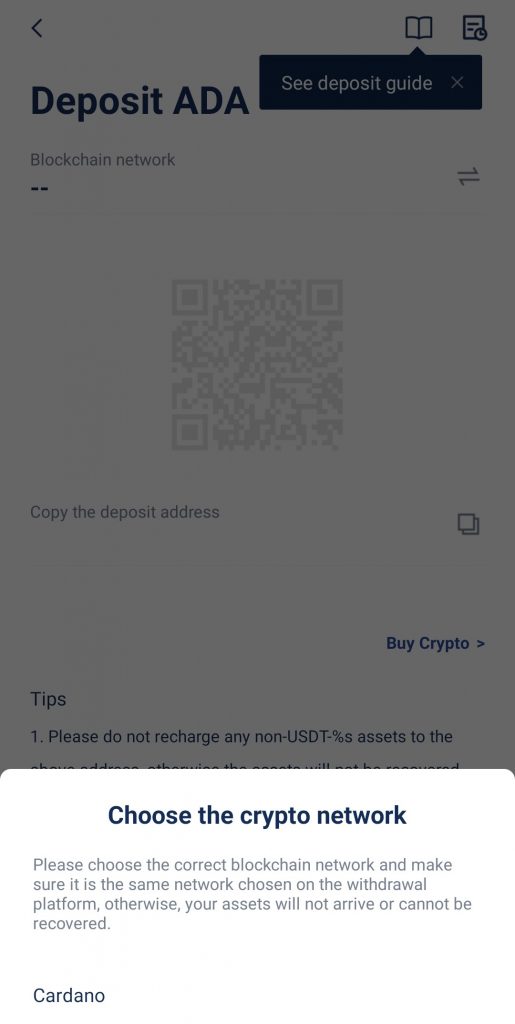
3. Copy the deposit address by tapping on the copy icon or by using the Copy address function.
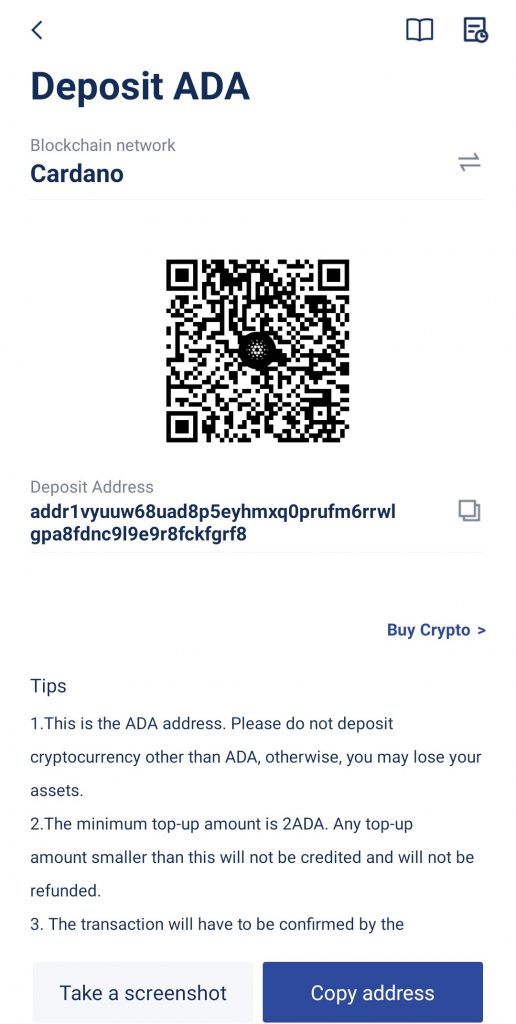
4. Leave the BTCC app for now and go to the wallet/exchange where you would like to transfer your ADA from.
5. Complete the steps as required on the other platform. Paste your BTCC wallet address when you make the withdrawal.
6. Once you’ve completed the necessary steps on the other platform, go back to the BTCC app. You should be able to see your deposits in minutes.
How to Convert ADA
1. Go to Home or Assets. Tap Convert.
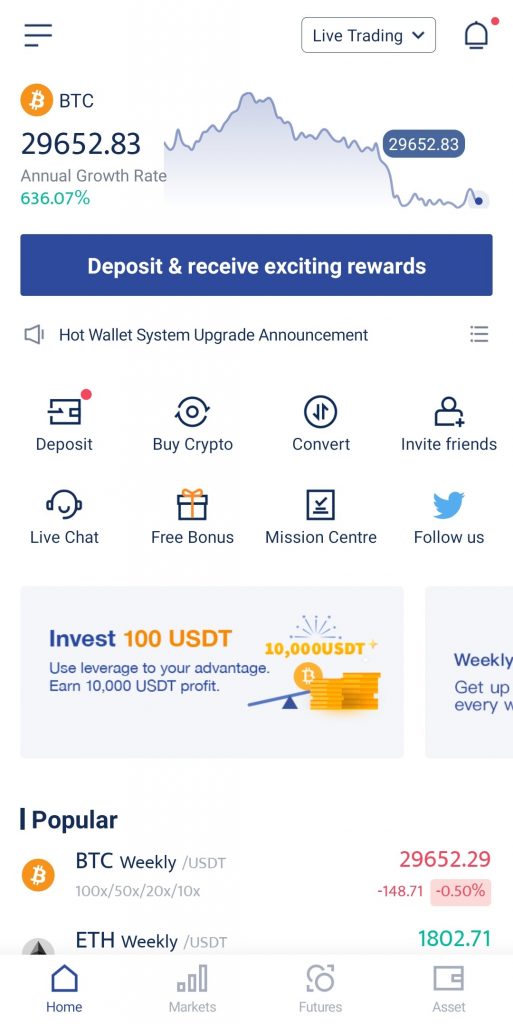
2. Select your source currency and target currency. You may choose to convert ADA to BTC, ETH, or XRP, or vice versa.
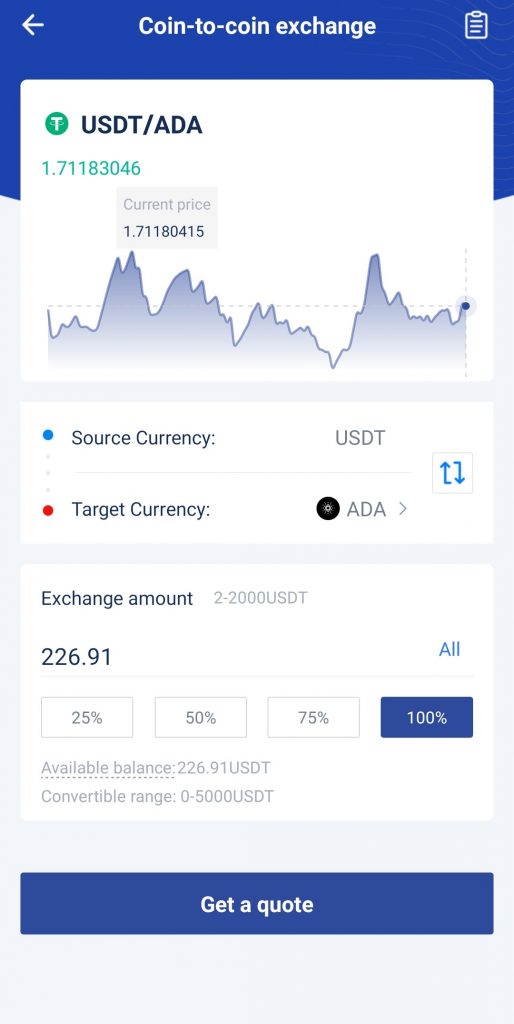
3. Enter the amount you would like to convert.
4. Tap Get a quote to check the price. Confirm the conversion by tapping on the button.
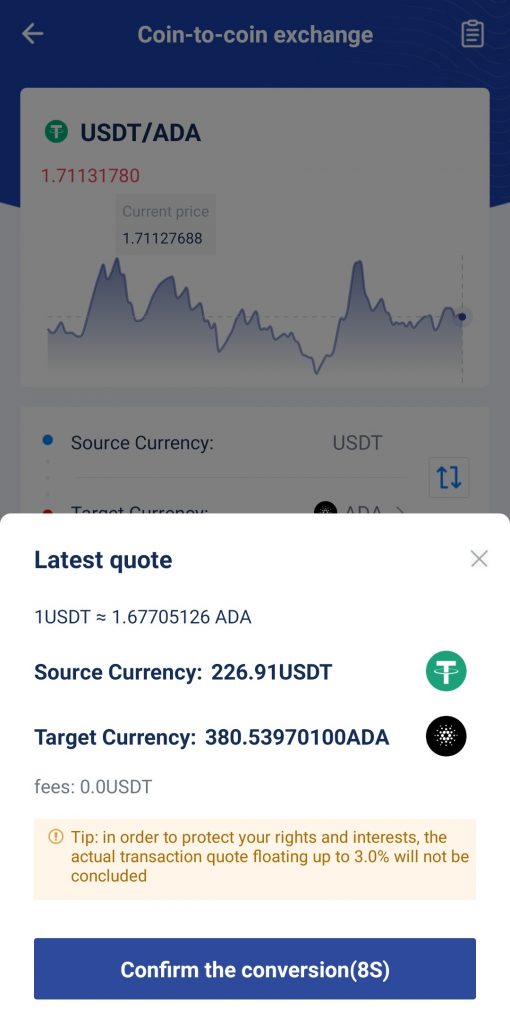
5. Voilà! You’ve converted your crypto to your desired currency.
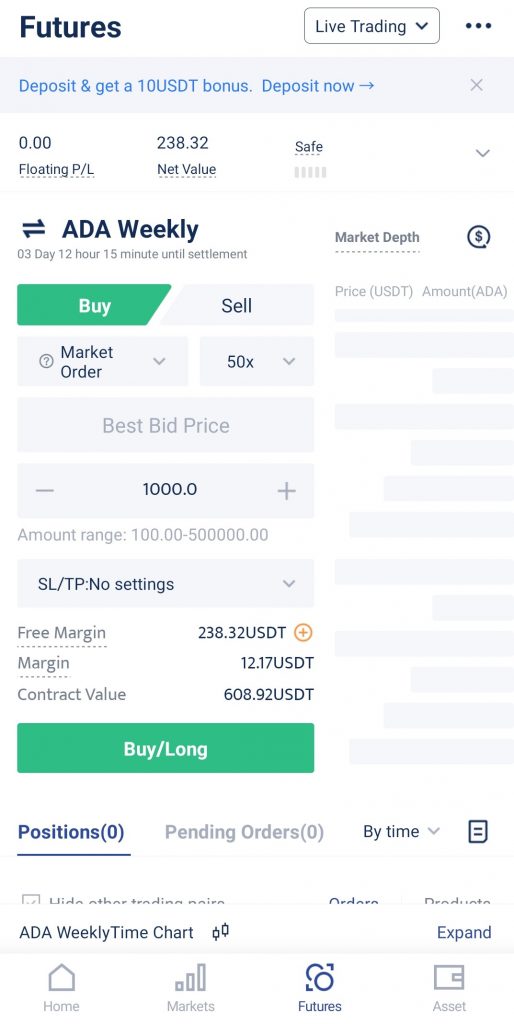
Trade ADA weekly futures on BTCC
We offer ADA weekly futures with a leverage of 50x on BTCC. If you’re bullish on the coin, tap Buy to open a long position; if you think ADA is going on a downtrend, tap Sell to open a short position.
You can also set your stop loss/take profit targets here to manage your risks.
BTCC also launched tokenized futures this year, allowing users to trade stocks and commodities futures with USDT as the margin.
Read More:
Please be aware that all investments involve risk, including the potential loss of part or all of your invested capital. Past performance is not indicative of future results. You should ensure that you fully understand the risks involved and consider seeking independent professional advice suited to your individual circumstances before making any decision.
For any inquiries or feedback regarding this article, please contact us at: [email protected]